TPA and CPA inspection should distinguish the state of the terminals from the state of the mated connector. Terminal position assurance and connector position assurance features serve different assembly checks, and their exact operation depends on the selected connector system. Use the applicable assembly instructions rather than a generic latch motion.
TE illustrates these separate features in its connector troubleshooting guide. That reference explains terminology; it does not provide an assembly procedure for every candidate in the automotive connector family.
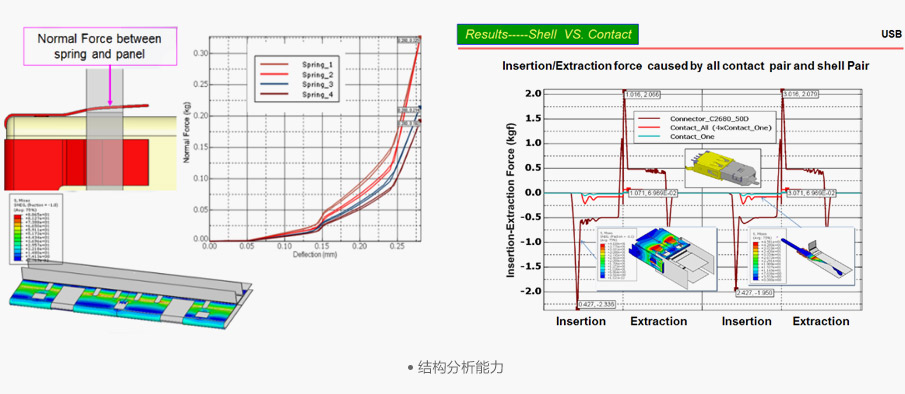
Figure 1. CZT structural-analysis example. Illustrates mechanical-review methods; the displayed analysis is not a TPA/CPA state or a lock-acceptance limit. CZT source · Original image.
Define the permitted assembly states
Obtain the manufacturer's drawings or instructions showing the preassembly and final positions. Identify which states are permitted during terminal insertion and which are required before mating or shipment.
Make a photographic work instruction using the actual production model. Show the reference surfaces and viewing direction so an inspector can distinguish a partially moved feature from a completed state.
Do not infer acceptance from an audible click alone. The applicable instructions may require a particular position or check that sound cannot establish. Conversely, a correctly positioned feature should not be rejected because it does not sound like a different connector design.
Keep terminal and mating checks separate
Inspect terminal insertion and any specified secondary retention before evaluating the connector's final mated condition. Establish how the line prevents a skipped step from reaching the next operation.
| Inspection record | Question answered |
|---|---|
| Terminal insertion check | Is each contact in its documented position? |
| TPA state | Is the applicable secondary feature correctly set? |
| Mating check | Are the two halves fully engaged? |
| CPA state | Is the specified assurance feature in final position? |
| Exception record | What prevented normal assembly? |
The table should reference actual model-specific criteria. It should not add a feature that the chosen connector does not possess.
Investigate resistance to normal operation
If a locking feature will not reach its documented state, stop and preserve the condition. Check terminal seating, accessory identity, alignment and contamination before applying more force.
For a hypothetical harness station, an incompletely inserted terminal may prevent a secondary feature from closing. Forcing that feature could damage the assembly and remove the original diagnostic evidence. The appropriate response is a controlled exception and the authorized correction procedure.
Use only the release or service method allowed for the system. Unapproved probing can damage retention features even if the lock later appears to close.
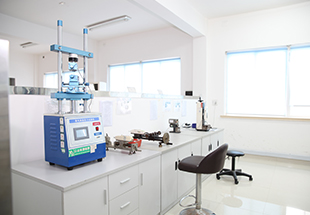
Figure 2. CZT mating-force test equipment. Use a model-specific state and operating procedure for assurance-device checks; this equipment image is not evidence for a particular lock. CZT source · Original image.
Record acceptance and rework scope
Link the inspection result to the harness number, connector reference, assembly instruction and operator or station record. Identify whether the inspection covers every assembly or a defined process-verification sample.
After an authorized rework, repeat the checks affected by it and record the result. A feature returned to final position is not automatically evidence that a damaged housing or terminal has recovered its original condition. Clear state definitions make the inspection useful for production, purchasing and fault analysis without creating a misleading universal rule for all automotive locks.
Connect this review to CZT product information
Start with the relevant CZT product family and provide the original interface reference or controlled drawing. Ask which configurations and supporting documents are available for the task described here. Confirm the mating arrangement, required features and project conditions before choosing an orderable part.
Browse the relevant product family · View catalog resources
Discuss a drawing, sample or quotation
Share the part or family reference, current drawing revision, operating conditions and quantities. Include the specific checks described in this article so the inquiry identifies both the component and the evidence needed for your decision. Confirm sample availability and the proposed scope with the supplier.
Request a technical review or quotation
For broader context, read the related selection guide.