USB-C shell retention should be selected by the load path through the finished equipment. Counted tabs, a larger solder area or a through-hole label cannot independently tell an engineer whether the port will survive the intended handling. The useful question is where each force goes after entering the plug.
Use the USB-C receptacle catalog family to locate drawings, then inspect the shell attachment details for the particular candidate. Retention features should be evaluated together with PCB construction, board supports and enclosure geometry.
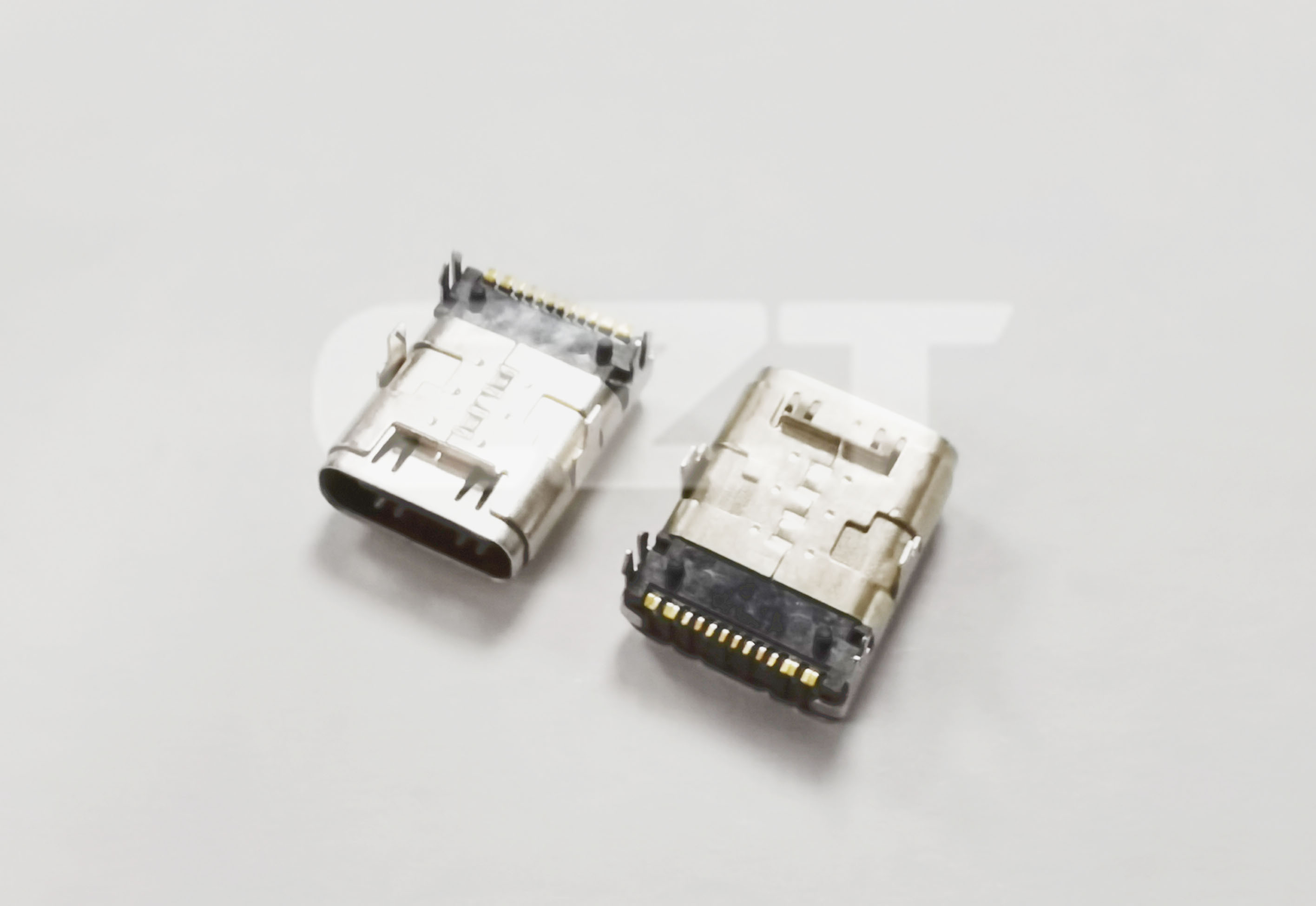
Figure 1. CZT Type-C receptacle shows shell and board-attachment features whose load paths should be reviewed with the surrounding PCB supports. CZT source · Original image.
Draw the expected forces
Separate straight insertion and withdrawal from sideways and twisting loads. Cable stiffness and overmold length can change the moment applied to the port. A compact plug used on the bench may behave differently from the cable selected for field maintenance.
Show each relevant direction on an assembly sketch. Mark the shell anchors, nearby PCB fasteners and any enclosure support. This simple drawing often reveals whether a small area of board laminate or one joint carries most of the load.
Avoid assuming that the signal tails provide the intended structural support. Determine the actual mechanical attachment specified by the connector drawing and joining process.
Match anchors to the PCB process
Surface attachment and hole-based shell features require different footprint and assembly checks. Compare the recommended land pattern, hole geometry, board thickness and joining method. Confirm whether the PCB supplier can reproduce the specified dimensions consistently.
A retention arrangement that is convenient for layout may introduce difficult solder access or require a process that the assembly line does not use. Resolve that issue before ordering boards rather than asking inspection to compensate for an unsuitable design.
| Review question | Why it matters |
|---|---|
| Where is the nearest board support? | It affects local board deflection. |
| Can each shell joint be inspected? | Hidden defects need an agreed inspection method. |
| Does the enclosure touch the shell? | Contact may create an unintended force path. |
| Which cable is used during evaluation? | Plug geometry and stiffness affect loading. |
Use a controlled handling experiment
For a hypothetical desktop controller, compare two support arrangements while keeping the connector, board and cable unchanged. Observe board movement and inspect the shell joints before and after the agreed loading sequence. This isolates the support change rather than comparing two unrelated assemblies.
Define loads, durations and acceptance limits from the product requirements and applicable connector documentation. An improvised pull by hand can reveal a concern but cannot produce a transferable retention specification.
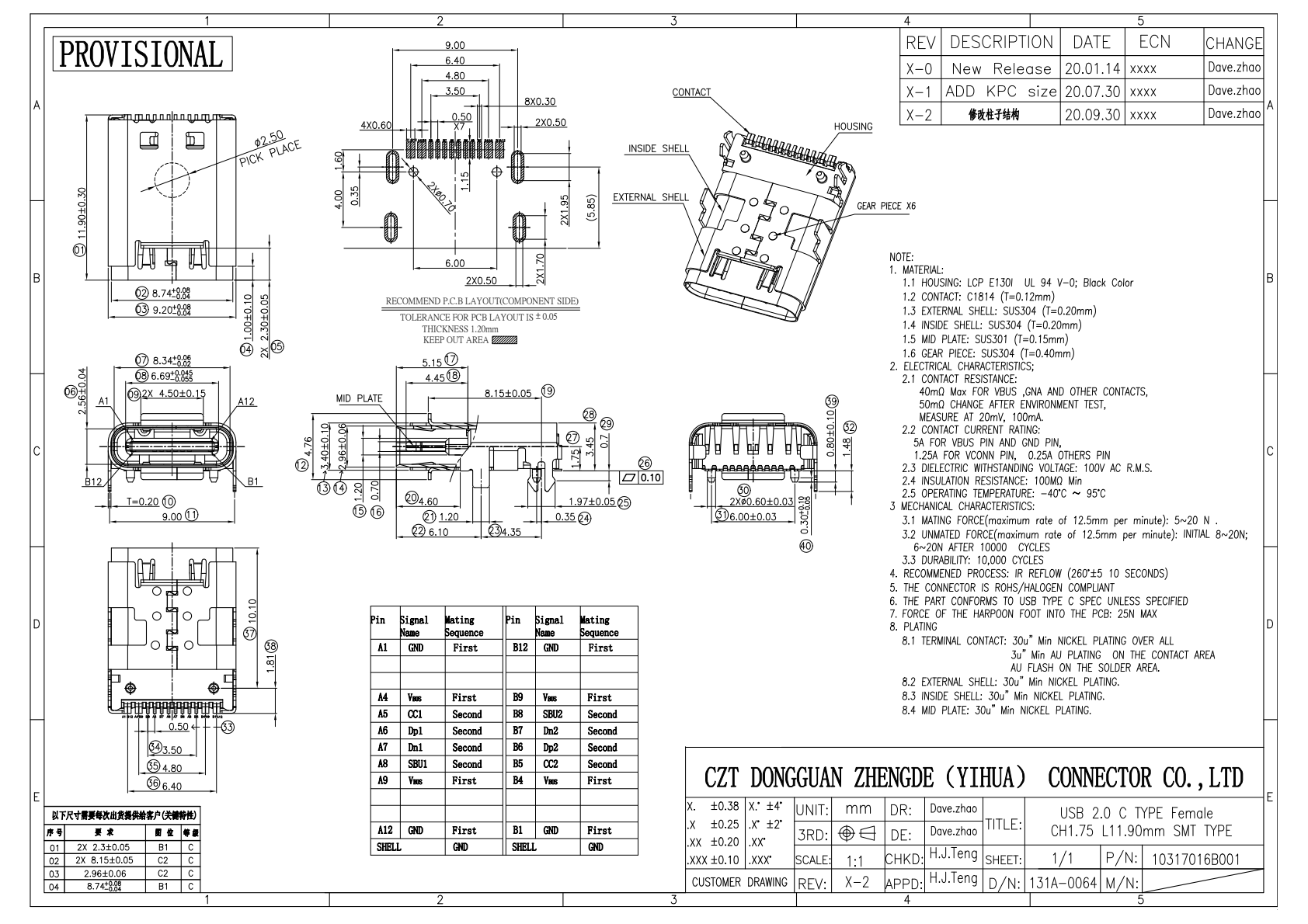
Figure 2. Official Type-C drawing locates attachment and footprint features for retention review; the image itself is not a pull-force test. CZT source · Original PDF, page 1.
Interpret damage before changing the connector
A lifted land, cracked joint and bent shell indicate different failure paths. Preserve the failed assembly and document where motion began. Changing to another receptacle without understanding that evidence may move the failure elsewhere.
Record the approved model, board version, soldering process and support geometry together. If a later enclosure revision removes a support or permits a heavier cable, reassess the affected loading conditions. Structural approval belongs to the evaluated assembly, not simply to the USB-C mating shape printed in the purchase description.
Connect this review to CZT product information
Start with the relevant CZT product family and provide the original interface reference or controlled drawing. Ask which configurations and supporting documents are available for the task described here. Confirm the mating arrangement, required features and project conditions before choosing an orderable part.
Browse the relevant product family · View catalog resources
Discuss a drawing, sample or quotation
Share the part or family reference, current drawing revision, operating conditions and quantities. Include the specific checks described in this article so the inquiry identifies both the component and the evidence needed for your decision. Confirm sample availability and the proposed scope with the supplier.
Request a technical review or quotation
For broader context, read the related selection guide.