Identify a Delphi/Aptiv connector by a combination of documented markings, cavity geometry, keying and matching components. A number molded into the housing may help the search, but it should not automatically be treated as the full orderable assembly number. Preserve uncertainty until the manufacturer record or drawing resolves it.
Aptiv's connection-systems catalog is the primary starting point for its own products. The CZT automotive connector family is a separate catalog resource. Its presence here does not establish an official distribution relationship or interchangeability with Aptiv products.
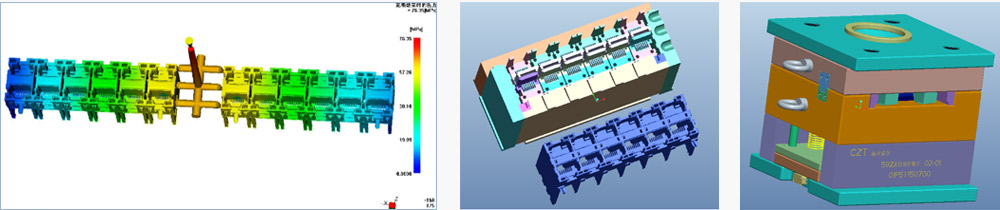
Figure 1. CZT tooling CAD examples. Use the controlled geometric record to identify an unknown housing; this is an engineering-method image, not an Aptiv product identification. CZT source · Original image.
Record the sample before searching
Photograph the mating face, wire-entry side, latch and all markings. Include a scale where dimensions matter. Note whether locks, seals and terminals are installed or missing; an incomplete assembly can look different from its catalog illustration.
Count cavities from the documented view and describe their arrangement. Record visible keying and the latch location rather than relying on housing color. If a damaged sample is the only evidence, identify which features cannot be measured reliably.
Keep the source of the sample and its equipment context with the worksheet. An installed connector may have been repaired or substituted previously, so the vehicle or machine description alone does not prove its identity.
Separate each kind of identifier
Use different fields for molded text, supplier order code and the equipment manufacturer's internal number. Add a source and confidence status to each proposed match.
| Worksheet field | What to enter |
|---|---|
| Visible marking | Exact text and photograph location |
| Candidate housing code | Manufacturer reference and revision |
| Mating component | Confirmed code or unresolved question |
| Terminal family | Drawing-backed identification |
| Seal and lock parts | Individual references where required |
Do not convert a partial marking into a complete purchase code by adding guessed prefixes or suffixes. A plausible search result still needs the geometric comparison.
Compare the complete interface
Check cavity dimensions, key positions, terminal form, latch details and the mating envelope against the official drawing. Where the drawing specifies accessory combinations, confirm those individually.
A hypothetical maintenance buyer may find two housings with the same cavity count and similar color. If the keying differs, they are different candidates even before electrical suitability is considered. That difference should stop an automatic purchase substitution.
Avoid removing terminals merely to improve identification unless the correct release method and authorization are available. A damaged retention feature can compromise later inspection and validation.
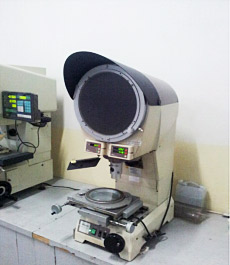
Figure 2. CZT optical-inspection equipment. Measurement supports an identification worksheet when a marking alone is insufficient; no cross-brand match is implied. CZT source · Original image.
Turn the result into a purchasing record
Conclude with confirmed identifiers, supporting documents and an explicit open-items list. If only the housing is identified, do not imply that the complete terminal-and-seal assembly has been approved.
Before ordering for production, verify current availability, exact accessory requirements and the intended mating component through the proper supplier channel. The worksheet's job is to make identification reviewable and repeatable. It cannot establish cross-brand compatibility, electrical ratings or environmental performance from appearance alone.
Connect this review to CZT product information
Start with the relevant CZT product family and provide the original interface reference or controlled drawing. Ask which configurations and supporting documents are available for the task described here. Confirm the mating arrangement, required features and project conditions before choosing an orderable part.
Browse the relevant product family · View catalog resources
Discuss a drawing, sample or quotation
Share the part or family reference, current drawing revision, operating conditions and quantities. Include the specific checks described in this article so the inquiry identifies both the component and the evidence needed for your decision. Confirm sample availability and the proposed scope with the supplier.
Request a technical review or quotation
For broader context, read the related selection guide.