To isolate connector-related behavior during Ethernet ESD validation, hold the test arrangement constant and change one interface feature at a time. An Ethernet link that resets after a discharge does not, by itself, identify the connector as the cause.
A candidate from the CZT RJ45 integrated magnetics family should be evaluated with the actual PHY circuit, protective components and enclosure. Component isolation data and system-level ESD behavior answer different questions.
Define the observed failure precisely
Record whether the event causes lost packets, link renegotiation, a processor reset, permanent damage or another observable condition. Include the operating mode, cable position, link partner and recovery behavior. These details make the problem reproducible and prevent different symptoms being grouped under one failure label.
Keep the required acceptance behavior separate from the observation. A brief link interruption might have a different project consequence from permanent damage, but that distinction must come from the equipment's approved test requirement.
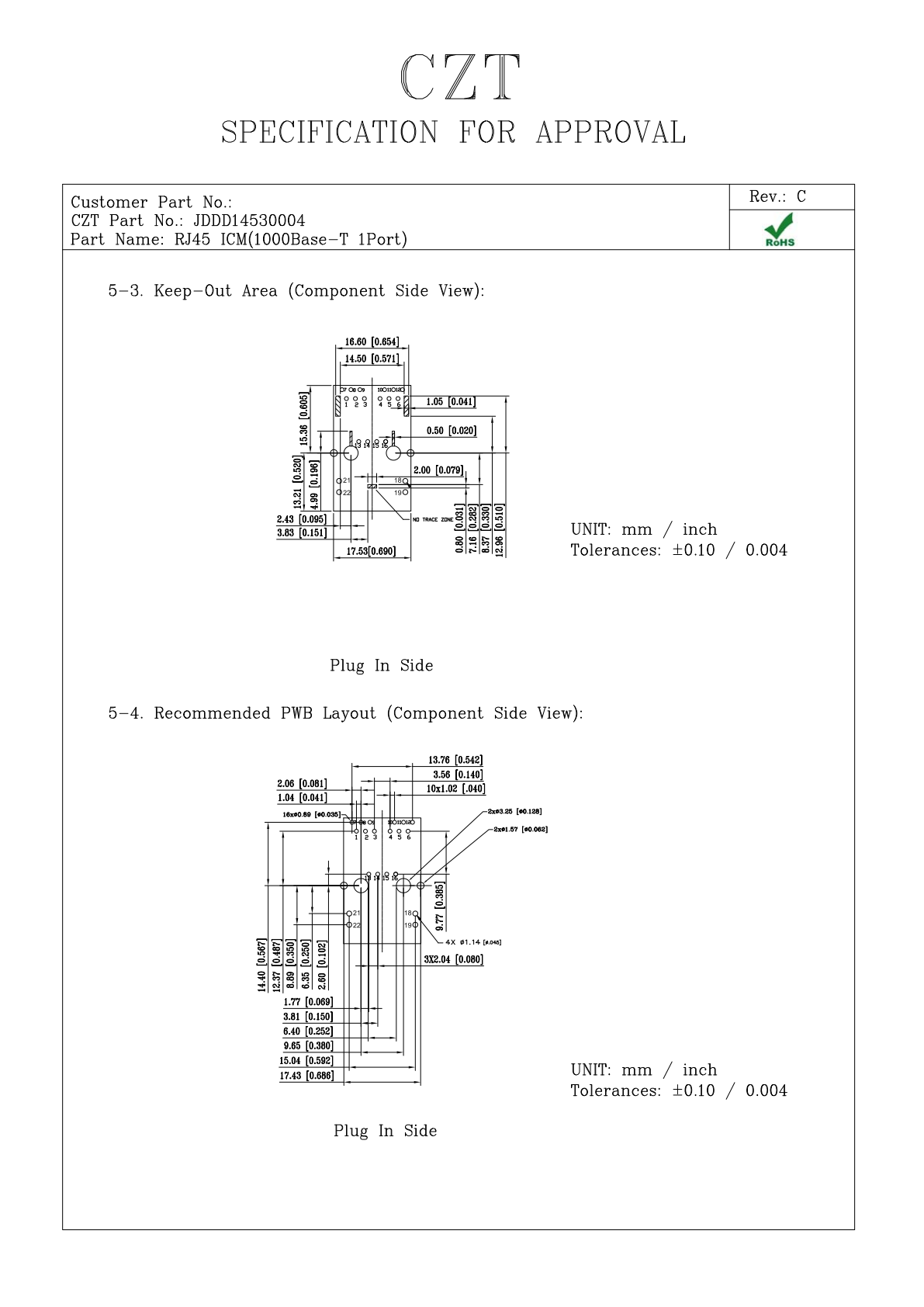
Figure 1. JDDD14530004: PCB layout and interface views from the official manufacturer specification, PDF page 5. CZT source · Original PDF, page 5.
Mark the possible coupling paths
Draw the connector shell, chassis contacts, signal pairs, magnetic interface and protective devices on one interface diagram. Identify the physical discharge locations and the likely return structures without assuming that the first visible metal surface carries all of the current.
Review protection placement against the exact PHY architecture. General layout rules should not override a device-specific instruction or a requirement arising from the isolation boundary.
Prepare a controlled comparison
| Variable | Baseline record | Controlled change |
|---|---|---|
| Connector | Model and drawing revision | One candidate structure |
| Shield path | Contact location and finish | Defined contact modification |
| Protection | Device and placement | Approved alternative arrangement |
| Test setup | Cable, enclosure and operating mode | Keep unchanged |
| Observation | Failure and recovery log | Same measurements |
Do not compare a new connector on a new PCB against an old connector on an older PCB and attribute every difference to the connector.

Figure 2. JDDD14530004 as pictured on its official manufacturer product page. CZT source · Original image.
Instrument behavior without disturbing it unnecessarily
Monitoring equipment can introduce additional connections or change the physical arrangement. Decide which signals are essential to capture, document their attachment and use the same instrumentation for comparative runs. Correlate the event time with link-state and reset records where practical.
For a hypothetical investigation, a changed shell contact could remove a reset while leaving occasional link renegotiation. That narrows the investigation but does not prove the entire interface meets its release requirement. Each remaining behavior needs its own evaluation.
Close diagnosis and qualification separately
After identifying a credible improvement, retest the released assembly using the approved qualification procedure. Preserve the final connector, layout, protection and enclosure revisions together.
A useful supplier request contains the interface diagram, candidate drawing and reproducible symptom. It asks a specific question about construction or available alternatives, rather than asking for an unspecified “ESD-proof RJ45.”
Connect this review to CZT product information
Start with the relevant CZT product family and provide the original interface reference or controlled drawing. Ask which configurations and supporting documents are available for the task described here. Confirm the mating arrangement, required features and project conditions before choosing an orderable part.
Browse the relevant product family · View catalog resources
Discuss a drawing, sample or quotation
Share the part or family reference, current drawing revision, operating conditions and quantities. Include the specific checks described in this article so the inquiry identifies both the component and the evidence needed for your decision. Confirm sample availability and the proposed scope with the supplier.
Request a technical review or quotation
For broader context, read the related selection guide.