Reserve service space for a multiport SFP assembly using fully populated ports and the intended cables. Port pitch alone does not show whether a technician can operate a latch, pull a module or reconnect a fiber. The useful review follows each operation through its complete hand, tool and cable movement.

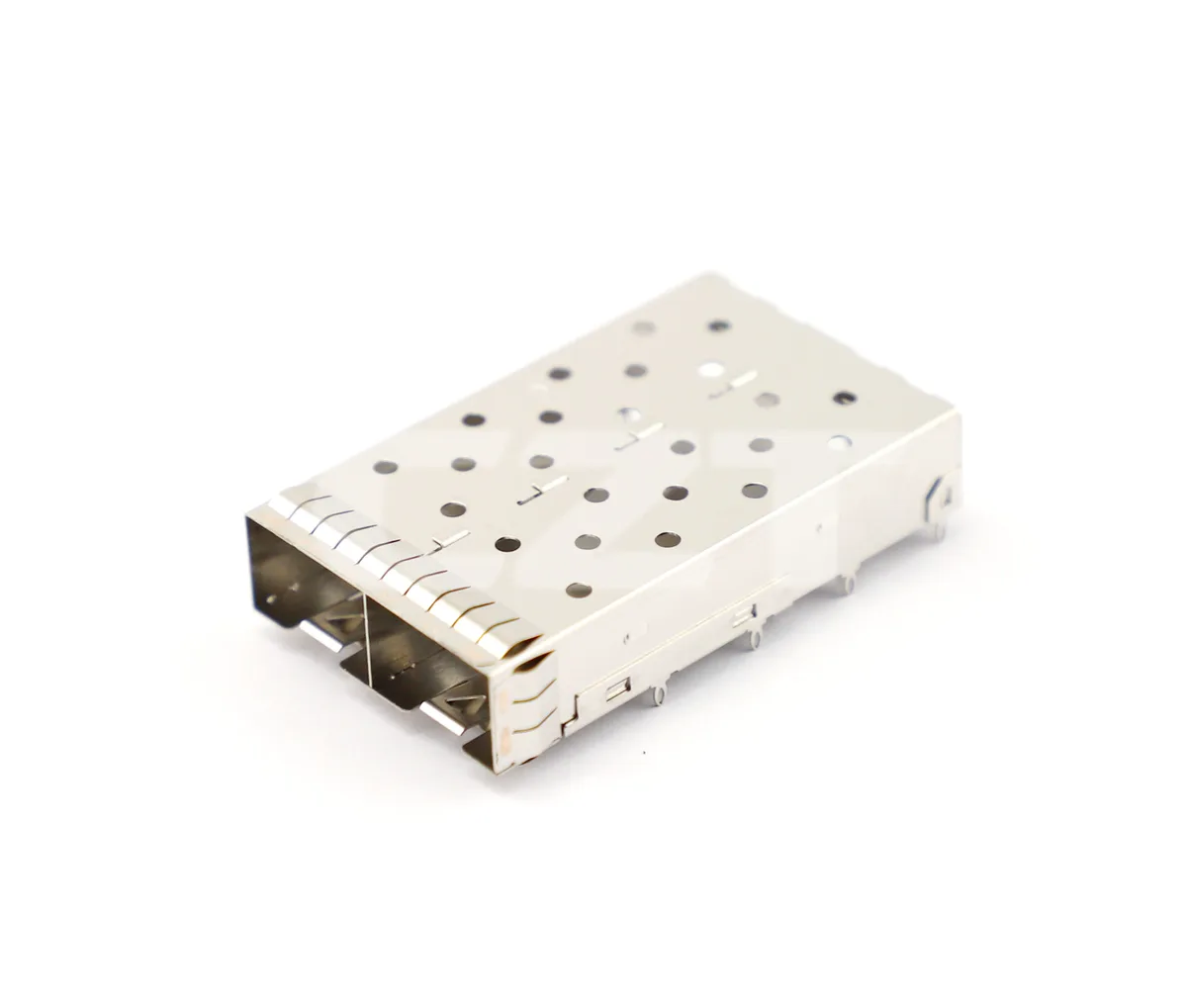
Figure 1. CZT two-port SFP+ cage illustrates neighboring port openings, where full module handles and cable boots must be considered during service review. CZT source · Original image.
Model the populated front panel
Include actual module pull features, connector bodies, cable boots and nearby controls. Check the deepest and most obstructed port positions, not just a convenient edge port. Review the product in its intended mounting orientation because gravity and cable routing can change access.
CZT's fiber-optic and pluggable-I/O family lists examples such as the 10710612W027 SFP+ 1x2 Cage Assembly and 10731013W001 SFP28 1x3 Cage Assembly. These labels describe catalog configurations; they do not establish clearance for a selected module handle or cable boot.
Walk through separate service actions
Distinguish unplugging the optical cable from removing the module. They may use different grips and paths. Check whether the sequence requires disturbing a neighboring active connection and whether the procedure matches the intended service policy.
Use the actual cable manufacturer's bend and handling requirements for the selected assembly. Do not apply a generic bend radius to every patch lead. Preserve sufficient route length for the required motion without creating unsupported loops that block adjacent ports.
A populated-port access checklist
| Operation | Practical check |
|---|---|
| Insert module | Full travel without interference or forced alignment |
| Release latch | Access with the intended finger or tool motion |
| Remove module | Pull feature clears cables and neighboring handles |
| Connect optical lead | Connector can latch and be inspected |
| Route and secure cable | Required bends and support remain available |
Document the exact module and cable combinations used. A successful trial with one compact connector boot should not qualify every alternative in the procurement list.
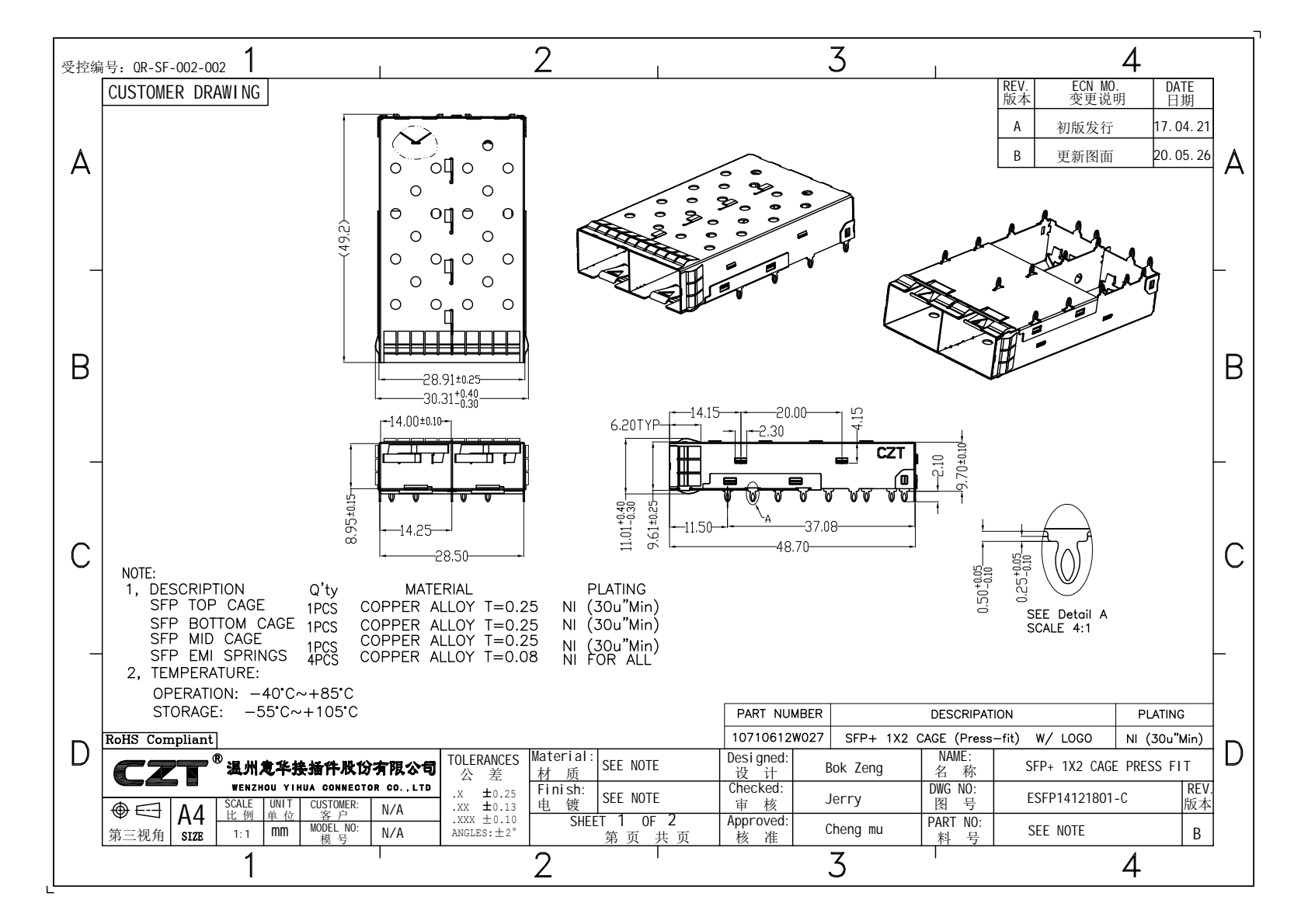
Figure 2. Official two-port cage drawing provides the geometry for a populated access mock-up; module release travel must also be checked. CZT source · Original PDF, page 1.
Validate with a physical mock-up
Have a reviewer follow the proposed procedure on a representative assembly, including middle ports. Record awkward actions, unintended cable movement and any required tool. Use the findings to revise the geometry or the allowed component list.
A hypothetical design might allow all modules to be inserted during initial assembly but require removal of a neighboring lead to release a middle-port latch. That may be unacceptable for a product that promises independent port service. The decision should be made while panel and PCB locations are still adjustable.
Include the intended identification labels in the mock-up. A crowded panel can be mechanically serviceable yet difficult to identify correctly. Confirm that the technician can distinguish the target port before moving neighboring cables or module handles.
Retain the validated populated layout and service sequence with the mechanical release. Recheck them when a module pull tab, cable boot, port count or panel trim changes. This keeps maintainability tied to the actual delivered combinations rather than to the empty cage dimensions shown in an early rendering.
Connect this review to CZT product information
Catalog references to discuss are listed below. Use the identifiers to request the current drawing and confirm the configuration required by your application.
| Catalog reference | Product information | Drawing record | Reference inquiry |
|---|---|---|---|
| 10710612W027 | SFP+ 1x2 cage, 10710612W027 | Listed PDF | Ask about this reference |
| 10731013W001 | SFP28 1x3 cage, 10731013W001 | Listed PDF | Ask about this reference |
A catalog drawing reference is a starting document, not a substitute for reviewing its revision, options and suitability for the complete assembly.
Browse the relevant product family · View catalog resources
Discuss a drawing, sample or quotation
Share the part or family reference, current drawing revision, operating conditions and quantities. Include the specific checks described in this article so the inquiry identifies both the component and the evidence needed for your decision. Confirm sample availability and the proposed scope with the supplier.
Request a technical review or quotation
For broader context, read the related selection guide.