Validate an SFP cage's thermal path with the actual module, neighboring ports, heat-transfer interfaces and airflow. A module power figure alone does not establish an acceptable installation. The review should show where heat enters the assembly, how it leaves and which temperatures are measured under the intended operating conditions.

Figure 1. CZT SFP28 cage exterior illustrates the shell and module envelope that form part of a port-level thermal-path review. CZT source · Original image.
Define the thermal boundary
Record the module identity, operating mode and power assumptions. Include adjacent occupied ports and nearby heat sources. Specify the enclosure, inlet-air condition and fan or airflow state. A single module in an open fixture may not represent a fully populated front panel.
CZT's fiber-optic and pluggable-I/O family lists multiple cage configurations, including single and multiport references. Their names do not establish a permissible module power or a verified cooling performance. Request the actual mechanical and thermal interface information for the proposed assembly.
Inspect the heat-transfer interfaces
Where a heat sink or thermal interface is proposed, show its contact location, loading and assembly tolerance. Confirm that the installed module position is consistent with the intended contact. A nominally matching surface does not prove that production tolerances maintain the same contact condition.
TE's SFP+ thermal and EMI discussion treats these as coupled I/O-design concerns. It is background for the review, not evidence that a different cage reproduces TE performance.
Use a representative test matrix
| Case | Purpose |
|---|---|
| Single occupied port | Establish a controlled baseline |
| Adjacent occupied ports | Assess local interaction and heat loading |
| Intended cooling condition | Verify the released installation |
| Relevant reduced-cooling case | Evaluate the condition required by the system plan |
| Tolerance-sensitive contact | Check the thermal interface near its design limits |
Choose the actual cases from the product requirements. Record what is occupied, powered and measured in each run; a photograph alone may not reveal which ports were operating.
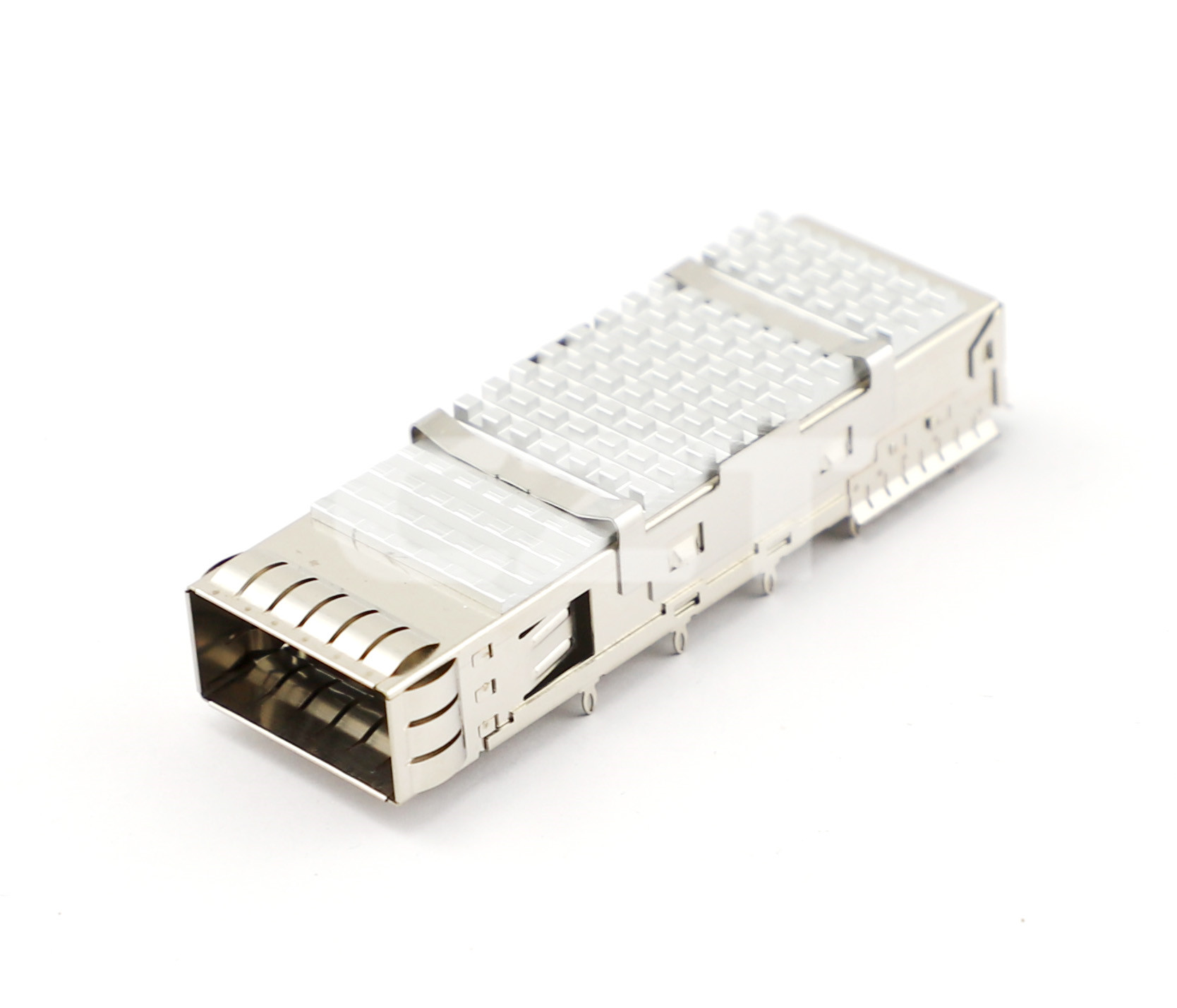
Figure 2. CZT QSFP28 cage with heat-sink features provides a separate thermal-interface example; it is not presented as an SFP-compatible replacement. CZT source · Original image.
Compare temperatures at defined locations
Use the module manufacturer's specified temperature reference where applicable and add measurements that help explain the path. Label inlet air, cage, heat sink and other sensor positions consistently. Retain the current or power history with the temperature trace.
Suppose a revised heat sink lowers one measured surface temperature. Confirm that module operating mode, airflow and neighboring port occupancy remained comparable before crediting the geometry change. Also check whether the new structure restricts airflow elsewhere.
Include the direction and location of airflow measurements in the record. A fan setting alone does not describe the air reaching a populated port row. Keep any baffle, cable obstruction or panel modification visible in the installation photographs.
The report should connect the measured temperatures with the actual limits and conditions of the selected module and assembly. Do not extend one favorable run to every optical module that fits the cage. Keep the occupied-port layout, interface construction and cooling boundary in the released validation record so that later substitutions can be evaluated on equal terms.
Connect this review to CZT product information
Start with the relevant CZT product family and provide the original interface reference or controlled drawing. Ask which configurations and supporting documents are available for the task described here. Confirm the mating arrangement, required features and project conditions before choosing an orderable part.
Browse the relevant product family · View catalog resources
Discuss a drawing, sample or quotation
Share the part or family reference, current drawing revision, operating conditions and quantities. Include the specific checks described in this article so the inquiry identifies both the component and the evidence needed for your decision. Confirm sample availability and the proposed scope with the supplier.
Request a technical review or quotation
For broader context, read the related selection guide.