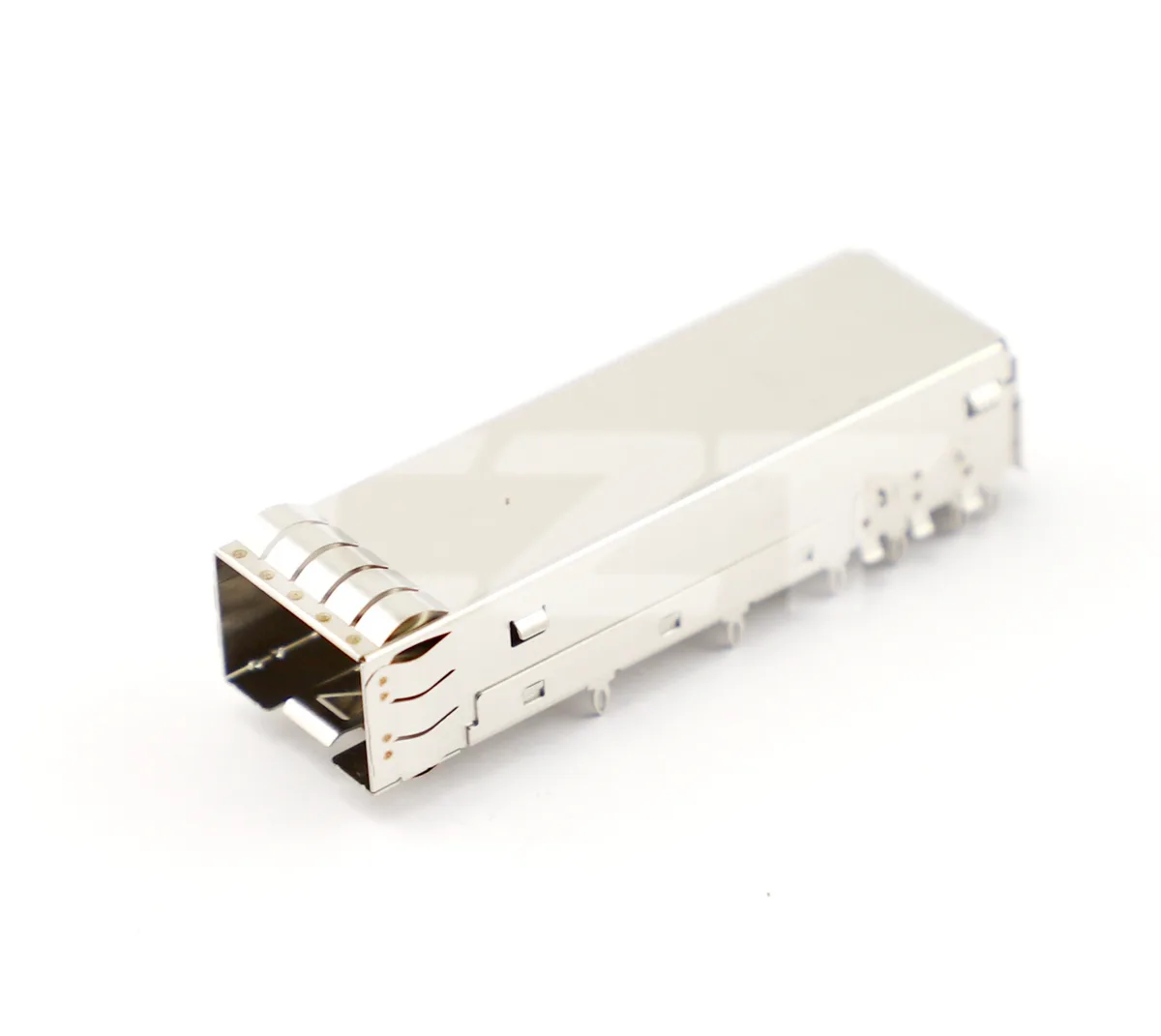
Review an SFP cage as a mechanical stack joining the module, electrical receptacle, PCB and front panel. A cage footprint alone does not define the assembled interface. Before PCB release, establish common datums and check the tolerance range that places the module correctly through the panel and into the receptacle.

Figure 1. CZT SFP+ cage example shows the front opening and mounting envelope that must align with the PCB, receptacle and panel. CZT source · Original image.
Separate the parts in the stack
Identify whether the proposal contains a cage only, a separate receptacle or an integrated assembly. Confirm which component establishes module location and which features secure the assembly to the PCB. Similar catalog names can describe different supply boundaries.
CZT's fiber-optic and pluggable-I/O family lists examples including the 10710111W028 SFP+ 1x1 Cage Assembly and the 10710111W064 SFP+ 1x1 Connector. Treat these as catalog identities to investigate, not as proof that an arbitrary pair forms a validated assembly.
Build one installed cross-section
Locate the PCB surface, receptacle seating plane, cage mounting features and panel face on the same drawing. Include panel thickness, PCB position, standoffs and cage-to-panel contact features. Review the module's insertion and latch positions through the full tolerance range.
Use the selected product drawings for dimensions and verify the applicable interface-specification revision. SNIA publishes SFF module and cage specifications, but a reference specification does not replace the actual supplier drawing and its installation requirements.
A pre-layout review table
| Interface | Check before PCB release |
|---|---|
| Cage to PCB | Footprint, mounting method and board keepout |
| Receptacle to PCB | Seating, solder or press-fit interface and orientation |
| Cage to panel | Opening, alignment and contact location |
| Module to receptacle | Fully inserted position and engagement |
| Module to panel | Latch, pull feature and removal access |
Include the view direction for every drawing. A mirrored mating-face interpretation can create an avoidable layout error even when the nominal dimensions are correct.
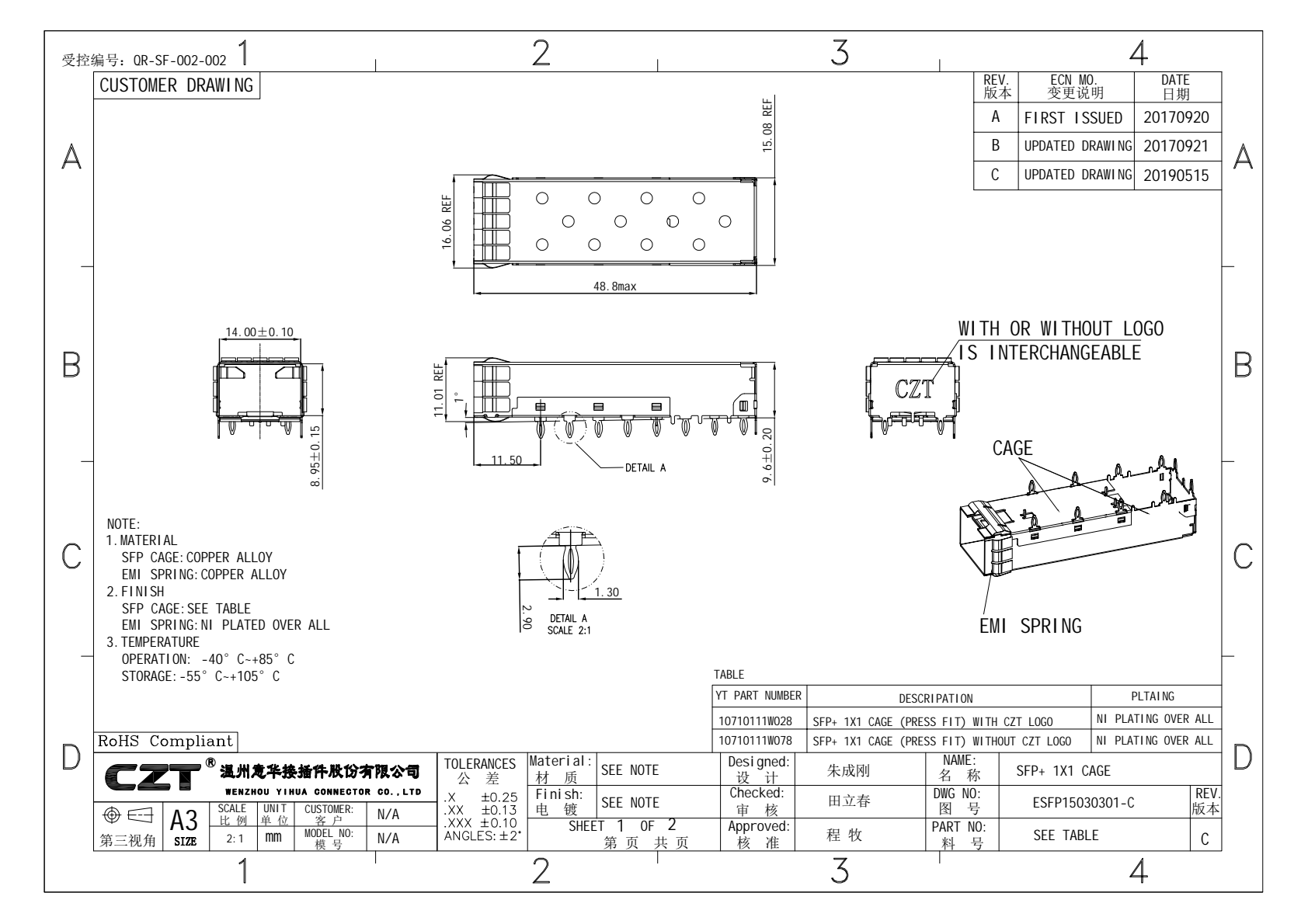
Figure 2. Official CZT SFP+ cage drawing provides the actual views to review before building an installed mechanical stack; confirm the required revision. CZT source · Original PDF, page 1.
Verify physical fit before committing tooling
Use samples, a representative PCB and a panel mock-up to check insertion, seating and removal. Record the panel and board locations used, along with the module identities. One favorable module sample should not be treated as proof of all intended module combinations.
A hypothetical cage that seats correctly on the board can still sit too far behind a thick panel, restricting the module's latch or pull feature. The remedy may require a panel or board-location change rather than a different footprint.
Check the mechanical CAD model against the controlled drawing before using it for clearance decisions. A simplified model may omit spring features, tool access or latch travel that matters to integration, even though its main body dimensions appear accurate.
Release the geometry only after the mechanical stack and trial assembly agree. Keep the confirmed drawing revisions with the PCB library entry so that later substitution or CAD-library updates do not silently change the installed interface. This is especially valuable when different teams own the board, chassis and optical module selection.
Connect this review to CZT product information
Catalog references to discuss are listed below. Use the identifiers to request the current drawing and confirm the configuration required by your application.
| Catalog reference | Product information | Drawing record | Reference inquiry |
|---|---|---|---|
| 10730211W008 | SFP28 1x1 cage, 10730211W008 | Listed PDF | Ask about this reference |
| 10710111W028 | SFP+ 1x1 cage, 10710111W028 | Listed PDF | Ask about this reference |
A catalog drawing reference is a starting document, not a substitute for reviewing its revision, options and suitability for the complete assembly.
Browse the relevant product family · View catalog resources
Discuss a drawing, sample or quotation
Share the part or family reference, current drawing revision, operating conditions and quantities. Include the specific checks described in this article so the inquiry identifies both the component and the evidence needed for your decision. Confirm sample availability and the proposed scope with the supplier.
Request a technical review or quotation
For broader context, read the related selection guide.