An SFP-to-QSFP hardware migration requires a fresh review of the port's mechanical, electrical, thermal and service interfaces. The migration is not defined by multiplying a nominal data rate. Identify the target module and system architecture first, then determine which board and panel assumptions no longer apply.

Figure 1. CZT SFP28 single-port cage illustrates the starting form-factor envelope in a migration review; use its actual drawing for dimensions. CZT source · Original image.
Separate architecture from form factor
Document the host's intended electrical lanes, signaling requirements and management interface. Identify the target module and the relevant current specifications. A physical port-family change does not, by itself, establish host support, optical interoperability or breakout behavior.
SNIA's SFF work and specification resources cover separate form-factor, connector and interface subjects. Use the applicable documents for the actual migration rather than assuming one SFP drawing defines a QSFP implementation.
Rebuild the mechanical stack
Compare the new cage and receptacle footprint, board keepouts, front-panel opening and module insertion position. Include installation tooling and the module's release mechanism. Check adjacent ports and enclosure features through the intended tolerance range.
CZT's pluggable-I/O catalog family includes both SFP-family cage references and the 10736111W019 QSFP28 1x1 Cage Assembly. Those names are useful discussion identifiers; they do not demonstrate direct interchangeability or a supported migration between specific hosts.
A hardware migration review matrix
| Area | Question to resolve |
|---|---|
| Host electrical interface | What lanes, signaling and control functions change? |
| PCB | Which footprints, routes, stack-up assumptions and keepouts change? |
| Panel | Which opening, alignment and service envelopes change? |
| Cooling | What new module power and airflow conditions apply? |
| Validation | Which previous evidence remains relevant and what needs new verification? |
Assign owners from the board, chassis, firmware and system teams. A migration can stall when one team assumes another has checked a changed boundary.
During the layout review, keep installation drawings separate from routing diagrams. The cage, connector and panel may have different owners and release schedules. Require a single assembly review that resolves those interfaces together, including any manufacturing tool or board support that cannot be represented adequately by the nominal port opening.
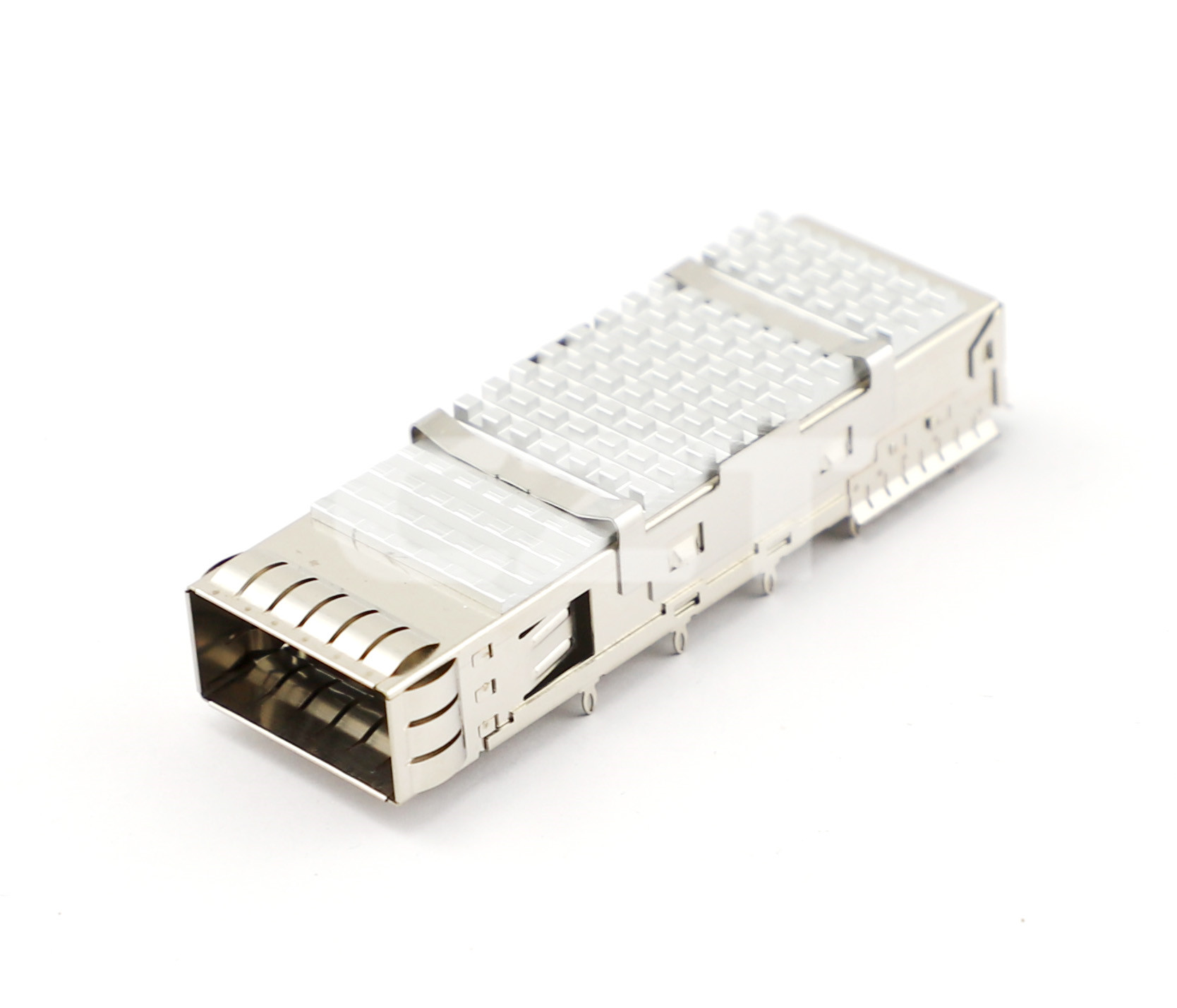
Figure 2. CZT QSFP28 cage illustrates a different target envelope and thermal arrangement; the photograph does not establish electrical or mechanical interchangeability. CZT source · Original image.
Validate the production-intent port
Use a representative board, panel, cage, receptacle and intended module. Test the relevant electrical operation, thermal state and service actions together. A bench link demonstration without the final panel may miss latch interference or restricted cooling.
Consider a hypothetical redesign that successfully routes the host signals but leaves insufficient space for the new module's pull feature. The solution can affect panel layout or port spacing, so discovering it after PCB release creates unnecessary rework.
Keep the original design evidence available for comparison, including failed observations. It can explain why an earlier layout used particular spacing or grounding details that a simplified migration drawing might otherwise discard.
Document the migration as a new qualified configuration, with exact component and software identities. State any supported module set and untested combinations. This provides an engineering basis for the change without converting the shared words SFP and QSFP into an unsupported compatibility claim.
Connect this review to CZT product information
Catalog references to discuss are listed below. Use the identifiers to request the current drawing and confirm the configuration required by your application.
| Catalog reference | Product information | Drawing record | Reference inquiry |
|---|---|---|---|
| 10736111W019 | QSFP28 1x1 cage, 10736111W019 | Listed PDF | Ask about this reference |
| 10710111W028 | SFP+ 1x1 cage, 10710111W028 | Listed PDF | Ask about this reference |
A catalog drawing reference is a starting document, not a substitute for reviewing its revision, options and suitability for the complete assembly.
Browse the relevant product family · View catalog resources
Discuss a drawing, sample or quotation
Share the part or family reference, current drawing revision, operating conditions and quantities. Include the specific checks described in this article so the inquiry identifies both the component and the evidence needed for your decision. Confirm sample availability and the proposed scope with the supplier.
Request a technical review or quotation
For broader context, read the related selection guide.

