USB-C reflow first-article inspection should establish whether the connector is correctly seated, joined and electrically connected on the actual PCB. Appearance alone cannot answer all three questions. Begin with the approved connector drawing, land pattern and assembly process, then examine the first boards before the process is released.
The USB-C connector family provides candidate records and drawing references. Confirm the particular model and revision on the purchase order. Closely related catalog codes can have different attachment details, so a previously accepted board is useful only when its configuration is known.
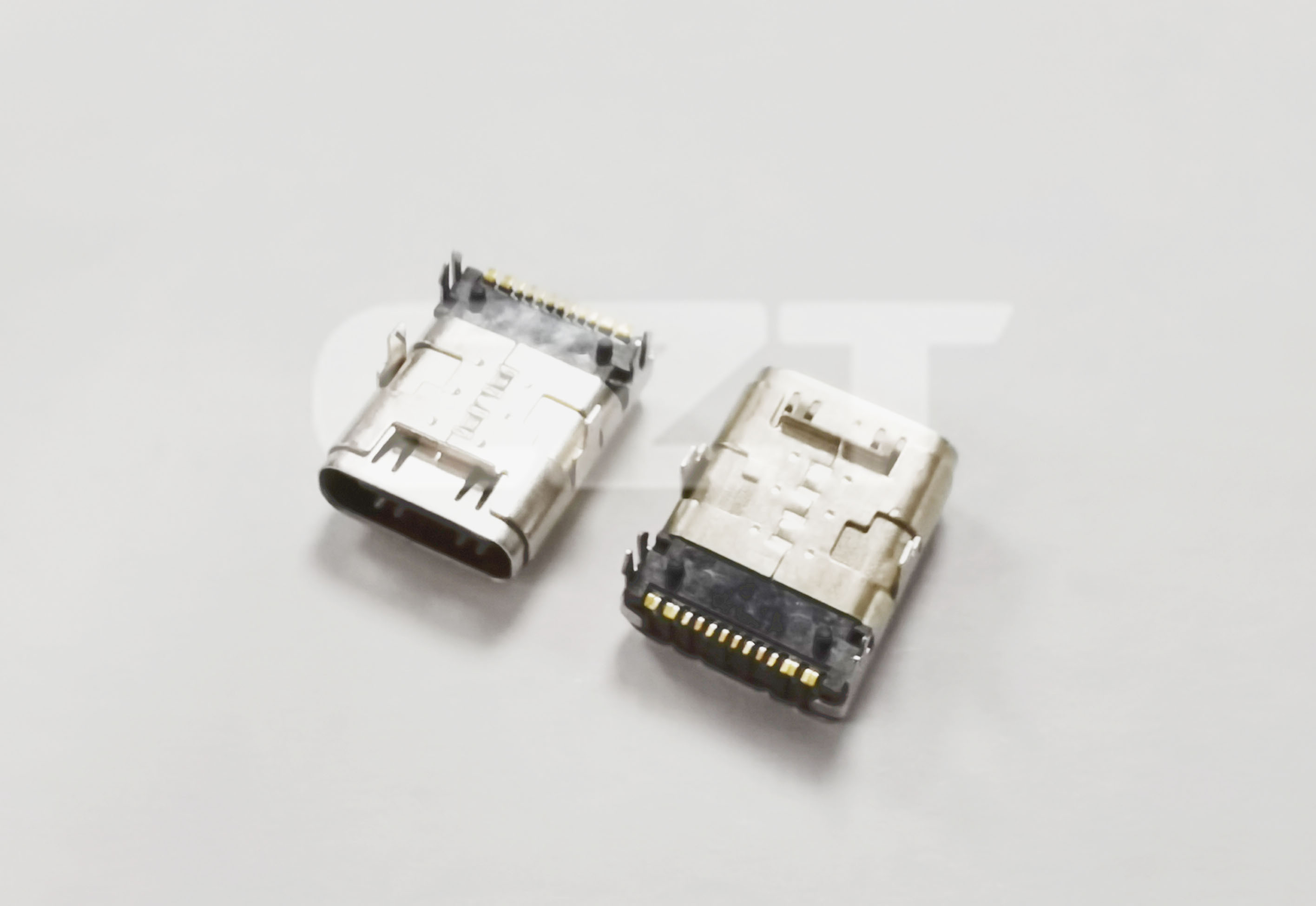
Figure 1. CZT Type-C receptacle photo shows the shell and contact-side construction to identify before inspecting seating and soldered attachment. CZT source · Original image.
Review the inputs before heating boards
Compare the PCB footprint with the current drawing, including signal lands, shell features and locating holes. Verify that the stencil revision belongs to that footprint. An incorrect paste pattern can create a repeatable defect even when placement is accurate.
Review the approved process limits for the connector and board assembly. Do not choose a thermal profile from the connector appearance or housing color. Record the actual line settings and measured profile used for the sample boards.
If the production process differs from the prototype process, identify that change before interpreting the first article. Hand-adjusted samples should not silently become evidence for an automated process that has not been checked.
Inspect seating separately from solder quality
Measure connector position against defined board references. Look for body tilt, inconsistent standoff and shell features that have not entered their intended locations. A connector sitting high may still show several acceptable-looking exposed joints.
| Inspection item | Observation to retain |
|---|---|
| Body position | Height, tilt and relation to the board edge |
| Signal joints | Bridging, insufficient joining or displacement |
| Shell joints | Joint coverage and attachment condition |
| Locating features | Seating and evidence of interference |
| Mating mouth | Position relative to the enclosure datum |
Use inspection methods suited to the visibility of each feature. If a joint cannot be evaluated from the available view, document how it will be assessed rather than recording it as acceptable by default.
Add electrical and mating checks
Check the intended connections and isolation against the schematic. Test both plug orientations for the functions the equipment supports. A simple continuity result does not establish every communication or power function.
Use a representative cable to check engagement after reflow. Record whether the plug seats normally with the enclosure fitted. A connector can be soldered consistently yet installed at the wrong position for the product housing.
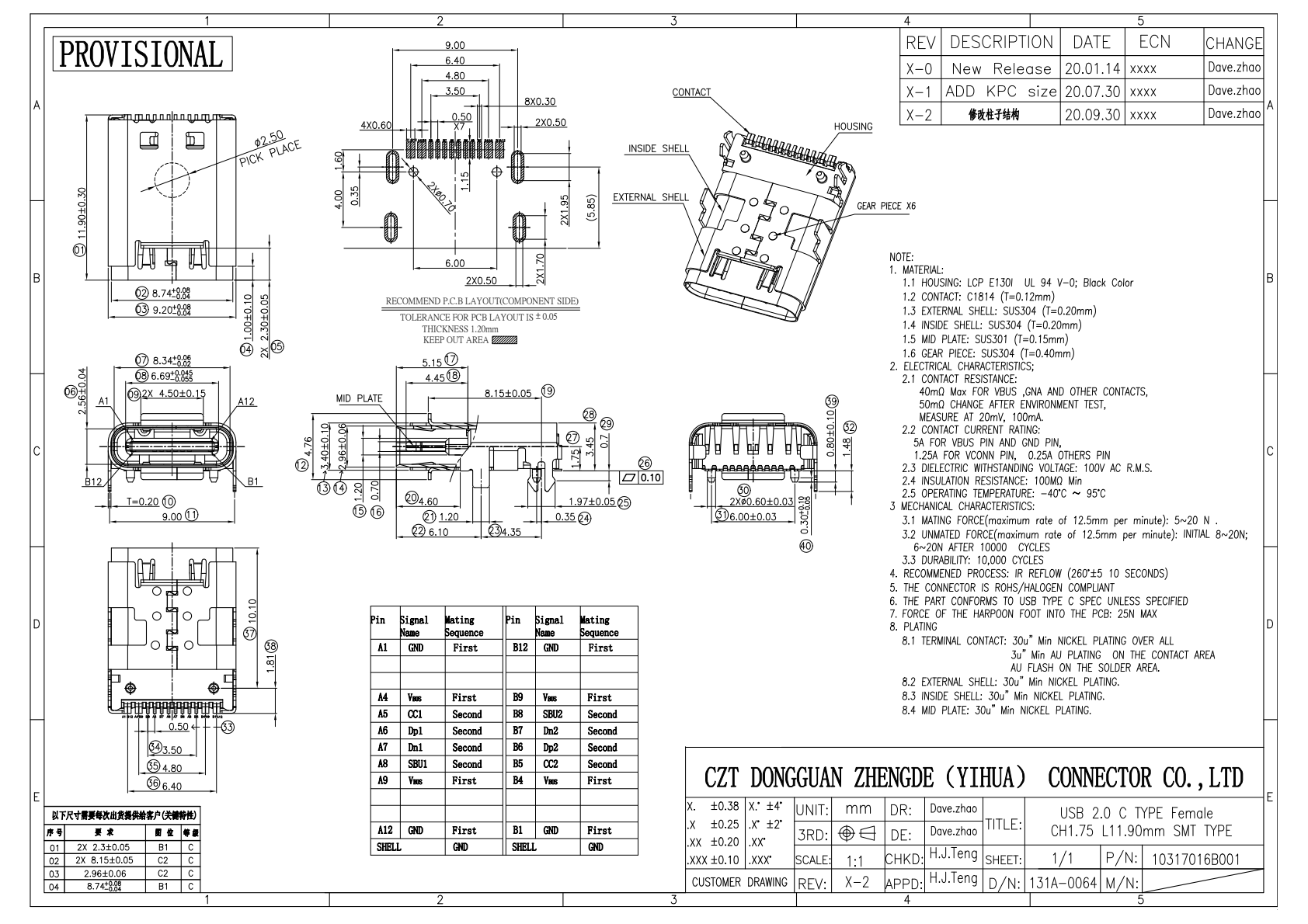
Figure 2. Official Type-C footprint and mechanical views support a first-article comparison; apply the actual supplier process instructions and inspection requirements. CZT source · Original PDF, page 1.
Turn findings into a controlled release
For a hypothetical first build, suppose the shell sits consistently above its intended position while the signal tails wet. Investigate body-to-board interference and placement before increasing paste. Changing paste could hide the symptom without correcting the mechanical cause.
Keep annotated photographs, dimensions and electrical results with the board, stencil and connector revisions. Close defects through an identified change and repeat the affected checks. The approved first article should describe a reproducible production configuration, not merely the best-looking board selected from an unexplained trial.
Connect this review to CZT product information
Start with the relevant CZT product family and provide the original interface reference or controlled drawing. Ask which configurations and supporting documents are available for the task described here. Confirm the mating arrangement, required features and project conditions before choosing an orderable part.
Browse the relevant product family · View catalog resources
Discuss a drawing, sample or quotation
Share the part or family reference, current drawing revision, operating conditions and quantities. Include the specific checks described in this article so the inquiry identifies both the component and the evidence needed for your decision. Confirm sample availability and the proposed scope with the supplier.
Request a technical review or quotation
For broader context, read the related selection guide.