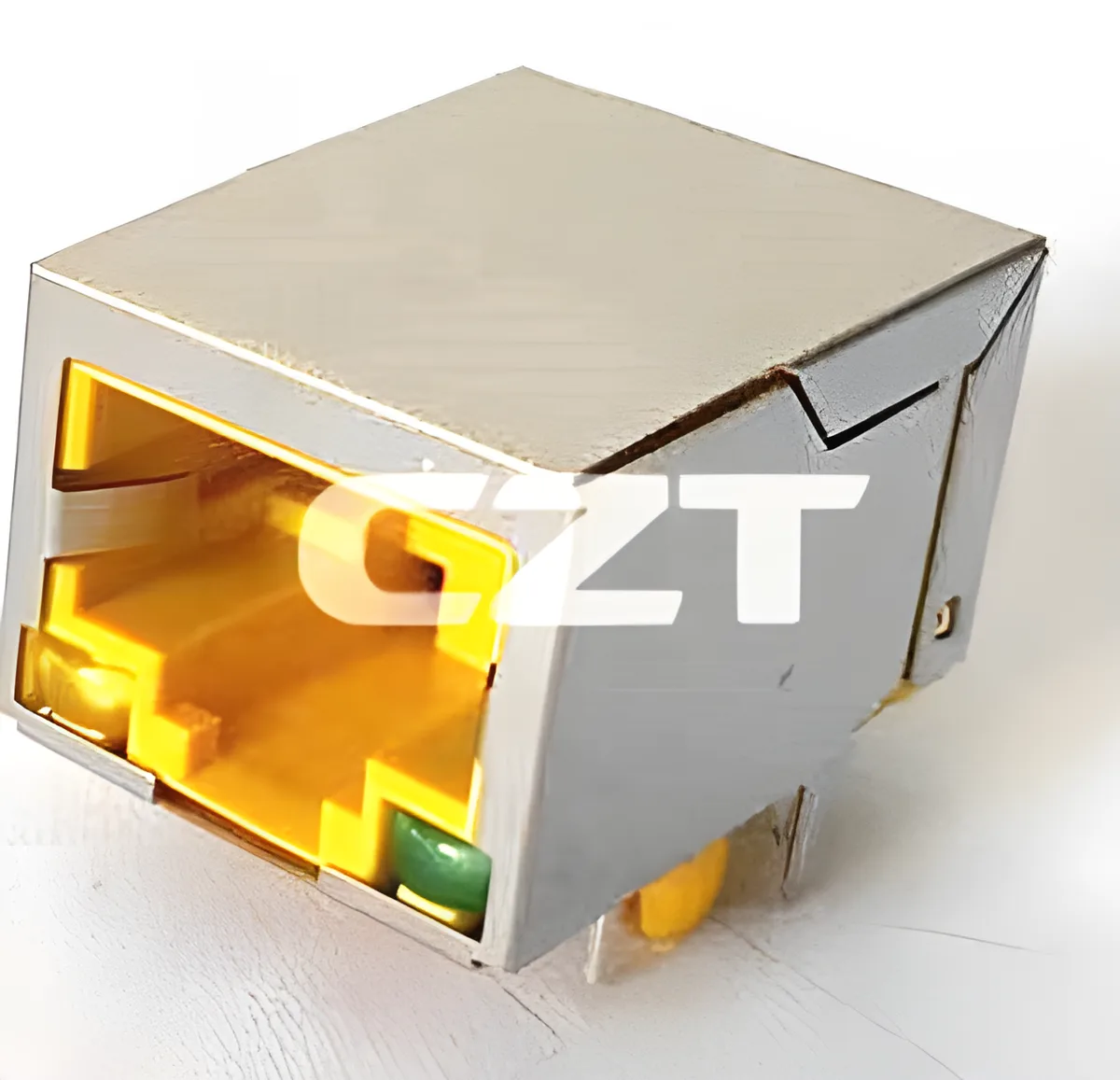
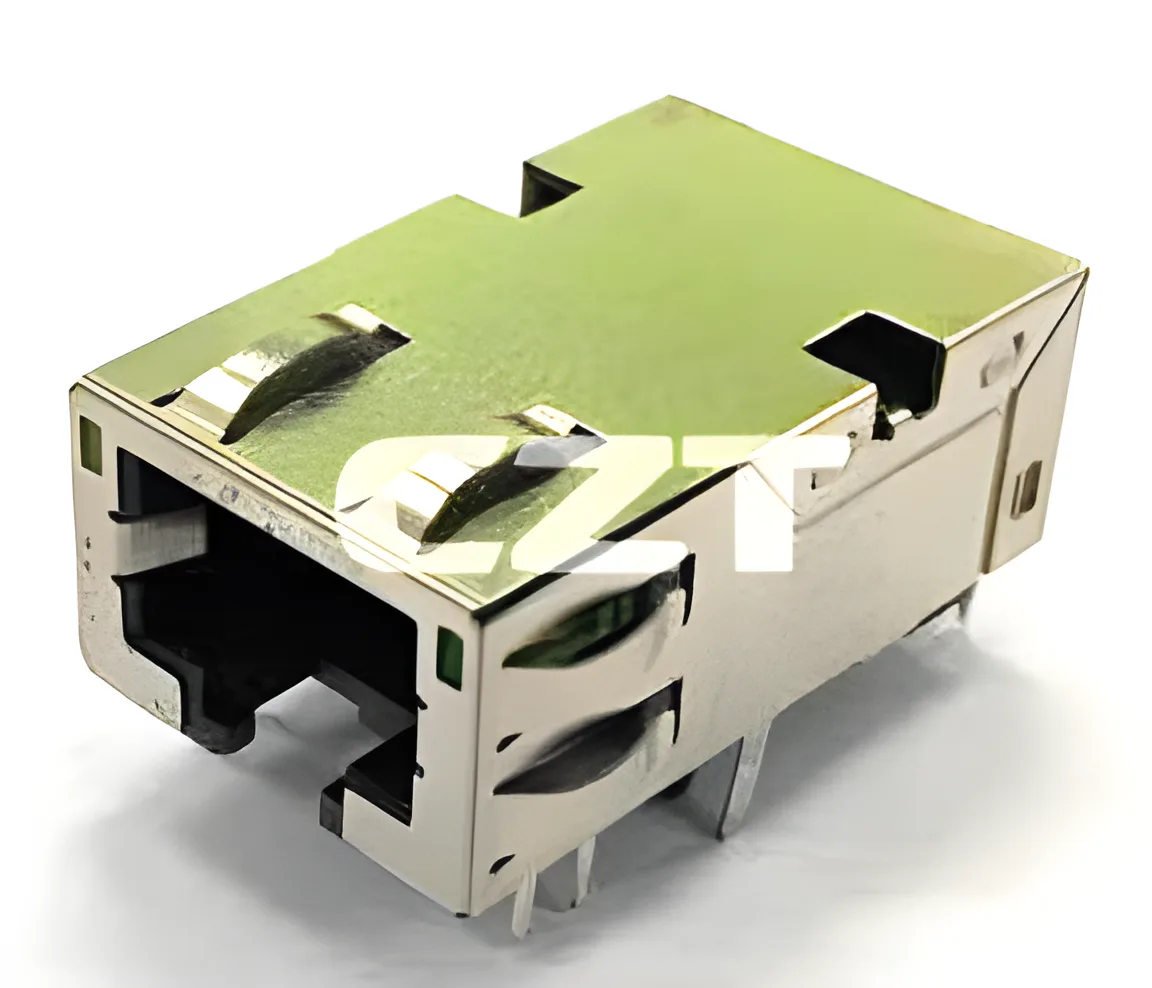
Coordinate RJ45 board-edge placement and panel cutouts through a common datum system. Specifying a connector height on one drawing and a panel opening on another is insufficient unless the relationship between the PCB and enclosure is defined.
Use a candidate drawing from the CZT RJ45 integrated magnetics family to establish the component envelope. The finished assembly, rather than the isolated connector, determines whether the port is accessible and free from interference.
Establish the assembly datums
Identify the PCB locating features, enclosure mounting surfaces and connector reference points. Decide which dimensions control the final mating-face position. Avoid creating two independent dimension chains that both appear to locate the same feature.
Include the PCB thickness and seating condition where they affect the result. A connector that is not fully seated during assembly can change the panel relationship even when the nominal footprint is correct.
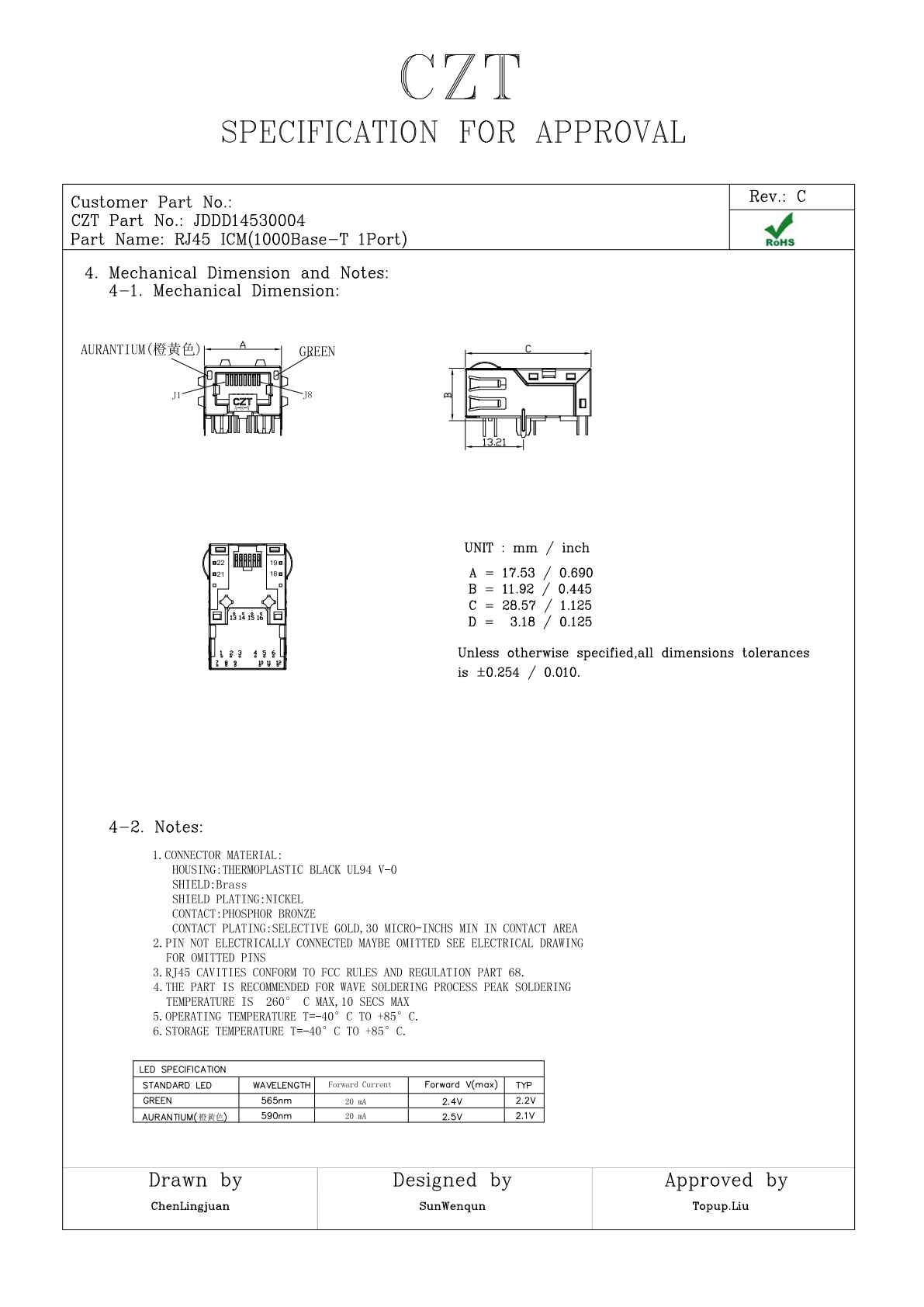
Figure 1. JDDD14530004: mechanical views from the official manufacturer specification, PDF page 3. CZT source · Original PDF, page 3.
Build the tolerance chain explicitly
Trace the distance from the enclosure mounting datum to the PCB, from the PCB to the connector body, and from that body to the required panel opening. Record nominal dimensions and applicable tolerances at each step.
Do not hide uncertain dimensions behind a nominal clearance value. If a supplier drawing does not define a needed reference, ask for clarification before approving the cutout.
Use a worked-example worksheet
The following is a hypothetical review structure, not a drawing for a particular CZT model.
| Contribution | Design input | Review outcome |
|---|---|---|
| Enclosure to PCB | Mounting location and tolerance | PCB position range |
| PCB to shell | Seating reference and component tolerance | Shell position range |
| Shell to opening | Required clearance and contact features | Allowed cutout envelope |
| Assembly movement | Fastener or slot allowance | Extreme installed positions |
| Cable access | Plug and boot envelope | Usable insertion and release space |
Calculate or evaluate the extreme combinations using the project's approved tolerance method. The useful output is an allowed assembly range, not merely a picture of the nominal position.
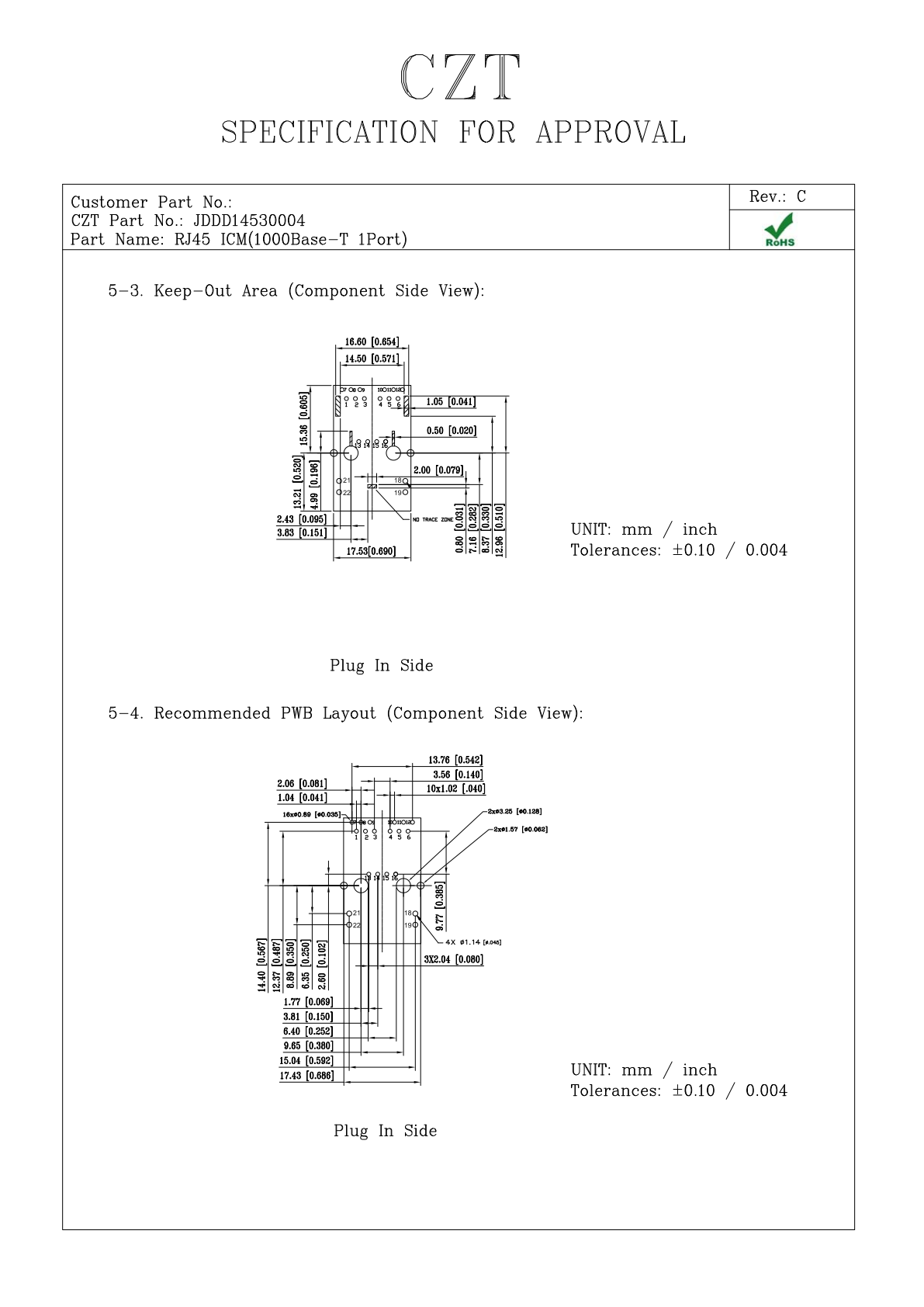
Figure 2. JDDD14530004: PCB layout and interface views from the official manufacturer specification, PDF page 5. CZT source · Original PDF, page 5.
Check shell contacts and opening edges
Shield fingers or shell features may intentionally contact the panel. Distinguish those designed contacts from unintended interference. Consider surface finish, burr direction and the assembly path, because a port can fit when fully installed but be damaged while sliding into place.
Review the inside of the enclosure too. Solder tails, shield tabs and nearby hardware can interfere even when the external opening looks correct.
Verify the first complete assembly
Inspect the production-intent PCB and enclosure together. Check connector seating, mating-face position, insertion and removal, and any intended shield contact. Record the measured configuration and drawing revisions.
If a fit issue appears, identify which term in the dimension chain caused it before enlarging the opening. That preserves control of the interface and avoids converting a specific tolerance problem into an unnecessarily loose or mechanically weak panel design.
Connect this review to CZT product information
Catalog references to discuss are listed below. Use the identifiers to request the current drawing and confirm the configuration required by your application.
| Catalog reference | Product information | Drawing record | Reference inquiry |
|---|---|---|---|
| JDGD14100001 | RJ45 ICM catalog-listed 1000BASE-T 1-port type, JDGD14100001 | Listed PDF | Ask about this reference |
| JDDD14530004 | RJ45 ICM catalog-listed 1000BASE-T 1-port type, JDDD14530004 | Listed PDF | Ask about this reference |
A catalog drawing reference is a starting document, not a substitute for reviewing its revision, options and suitability for the complete assembly.
Browse the relevant product family · View catalog resources
Discuss a drawing, sample or quotation
Share the part or family reference, current drawing revision, operating conditions and quantities. Include the specific checks described in this article so the inquiry identifies both the component and the evidence needed for your decision. Confirm sample availability and the proposed scope with the supplier.
Request a technical review or quotation
For broader context, read the related selection guide.