Harness variant management should turn customer options into controlled orderable configurations. Length, shielding, labels and connector choices can interact, so a free-text description is often insufficient. A configuration matrix should show allowed combinations and the documents that define each finished assembly.
Begin with the actual product architecture and related references in the wire-harness family. A master catalog label does not identify every permitted circuit map or manufacturing option. The final order needs a complete, unambiguous assembly definition.
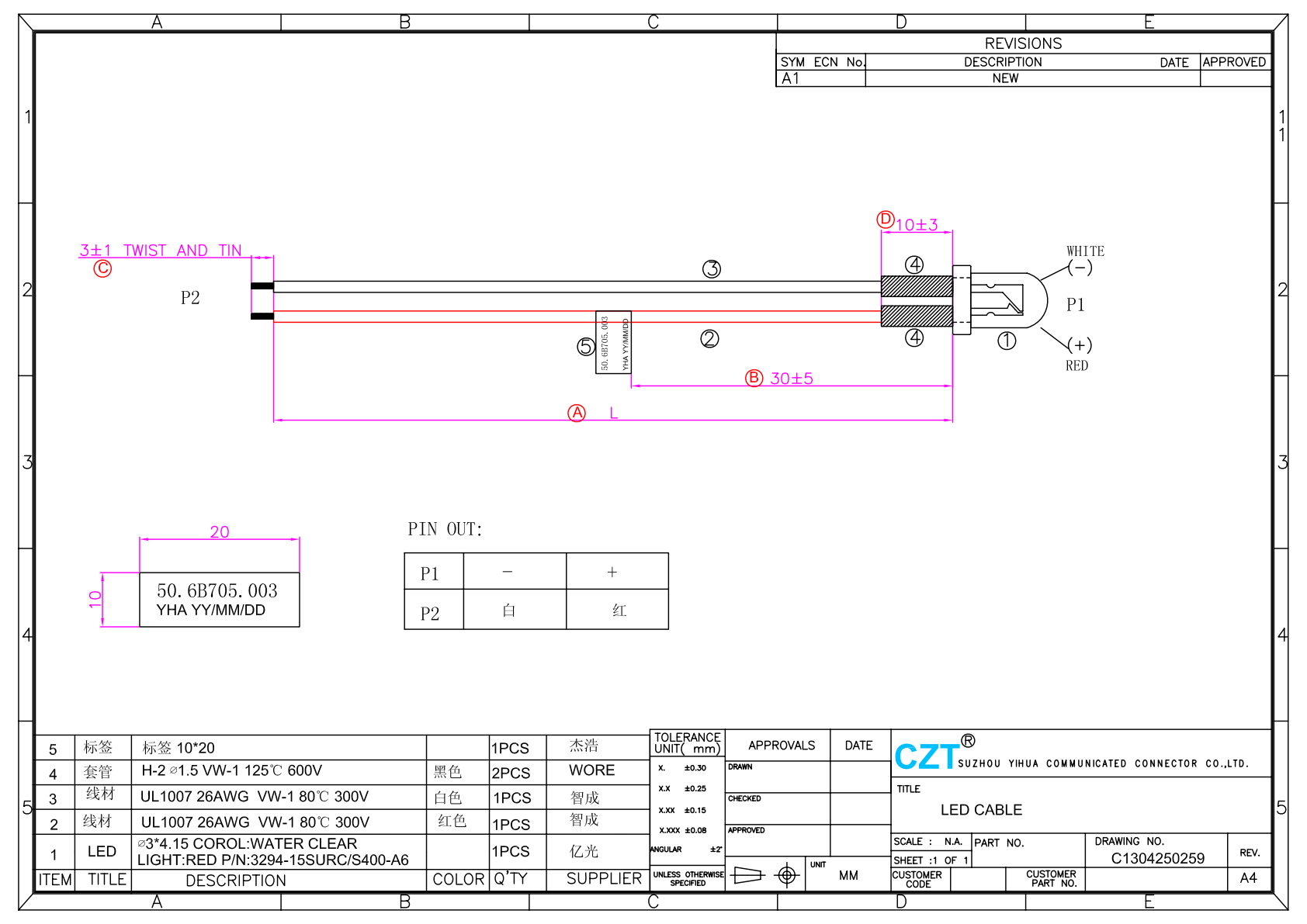
Figure 1. Official LED CABLE drawing. This separate catalog record provides an identity example; it does not establish an interchangeable variant with 3C CABLE. CZT source · Original PDF, page 1.
Separate common design from selectable options
Create a master structure for features shared by the family, then identify the options that can change. Define each option through a controlled value rather than an informal phrase such as longer cable or shielded version.
Assign a stable orderable identifier to each released configuration or use an approved configurable numbering scheme. Keep engineering revision separate from the option code so a design change is not confused with a different customer selection.
Identify who may create or approve a new combination. A salesperson selecting options in a quote should not inadvertently create an unreviewed engineering variant.
Define the dependency rules
Some options may require other components or manufacturing details. Others may be mutually exclusive. Express these rules so an invalid combination is rejected before material is ordered.
| Option | Related controls to evaluate |
|---|---|
| Overall or branch length | Drawing dimensions and installation boundary |
| Shielding arrangement | Terminations, grounding diagram and test definition |
| Connector choice | Mating, terminals, seals and tooling |
| Label content | Product identity and traceability data |
| Protective covering | Material, dimensions and assembly sequence |
Do not assume that changing only one sales field changes only one BOM line. A shield option, for example, may affect preparation and inspection as well as purchased cable.
Generate a complete manufacturing definition
For every released variant, produce the applicable BOM, drawing or option table, connection map and test-program reference. Ensure production can identify the required variant without interpreting the original customer correspondence.
For a hypothetical instrument family, two harnesses may share connectors and length while differing in shield termination and label data. Using the same test program may be valid for some checks but not automatically for all. Review the actual connection and inspection requirements for each configuration.
Verify a new variant against its own released definition. A previously approved family member provides useful evidence only where the relevant design and conditions remain the same.
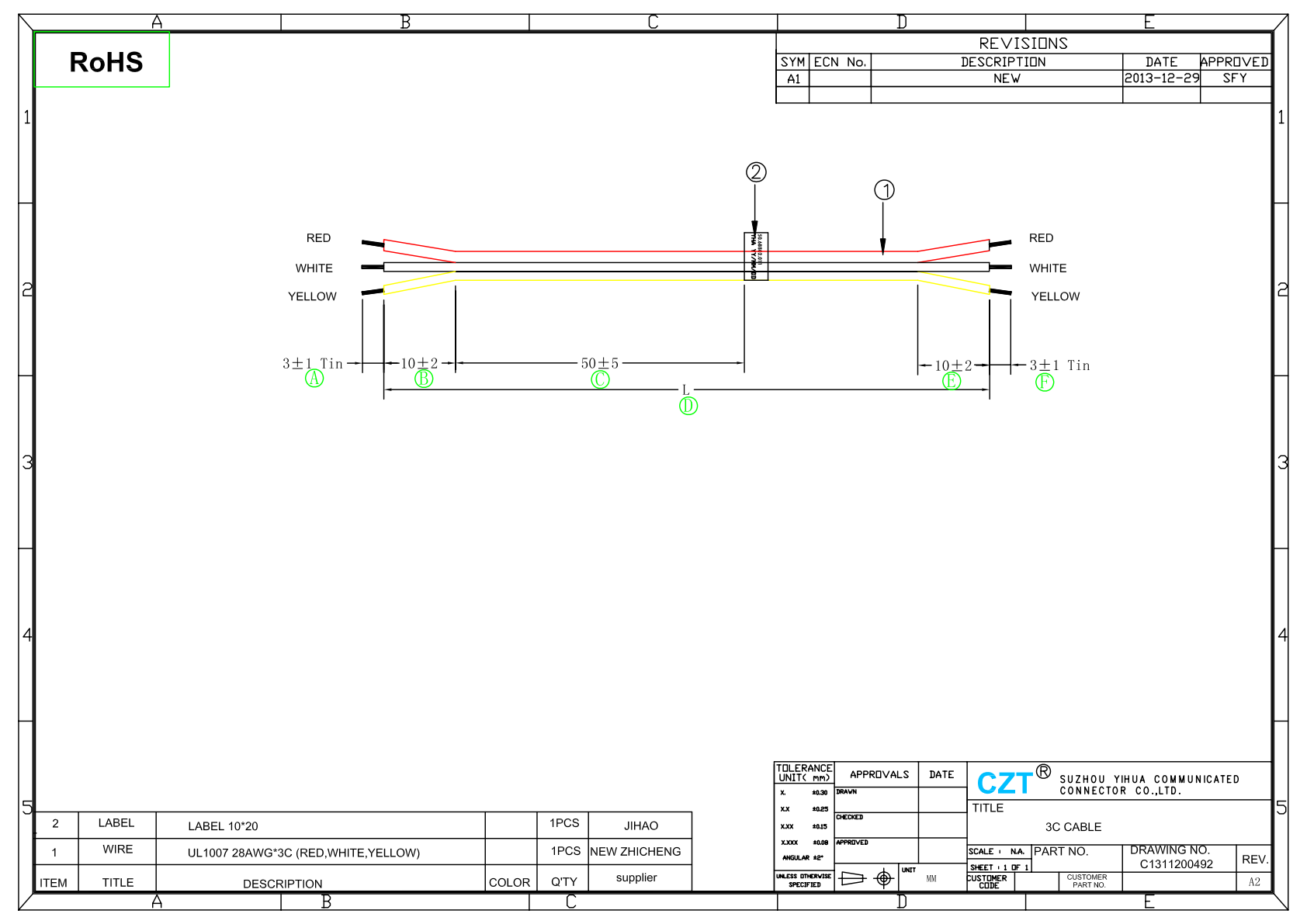
Figure 2. Official 3C CABLE drawing. Wire definitions, length fields and label placement illustrate the information that each released variant must control. CZT source · Original PDF, page 1.
Control orders, labels and changes together
Check the quoted option code against the production order and finished-assembly label. Keep obsolete combinations from remaining available after a design change unless their continued use is explicitly approved.
Maintain a record of released variants and their verification status. When a common component changes, use the matrix to identify every affected configuration. This turns variant management into a practical engineering and purchasing control, reducing the chance that a physically familiar harness is built or shipped with the wrong internal definition.
Connect this review to CZT product information
Start with the relevant CZT product family and provide the original interface reference or controlled drawing. Ask which configurations and supporting documents are available for the task described here. Confirm the mating arrangement, required features and project conditions before choosing an orderable part.
Browse the relevant product family · View catalog resources
Discuss a drawing, sample or quotation
Share the part or family reference, current drawing revision, operating conditions and quantities. Include the specific checks described in this article so the inquiry identifies both the component and the evidence needed for your decision. Confirm sample availability and the proposed scope with the supplier.
Request a technical review or quotation
For broader context, read the related selection guide.